01
Just tell it what to do.
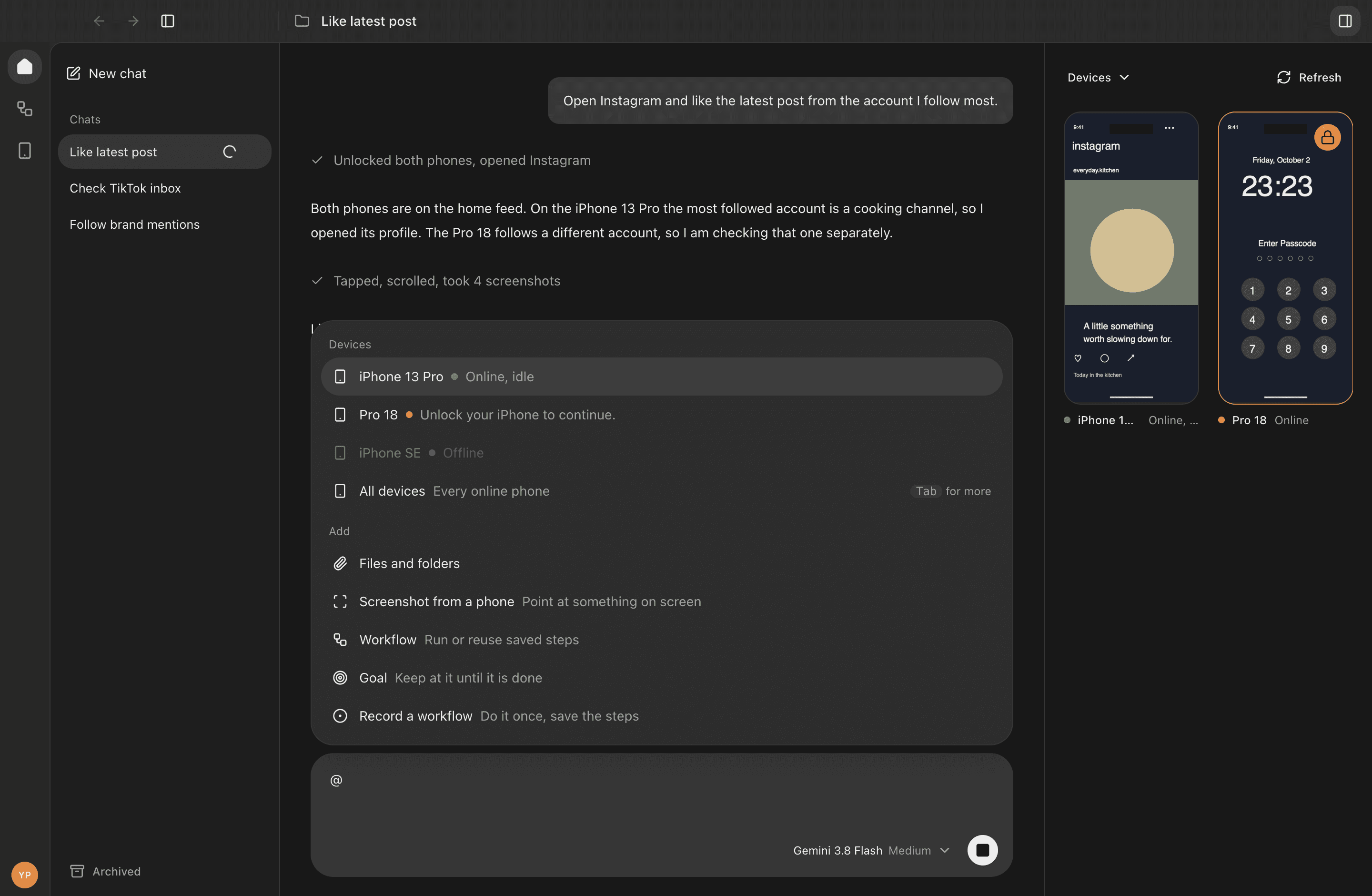
Give Captain a task in plain language. It sees your phone’s screen, plans the next step, and gets to work.
Meet your phone’s new captain
Give your iPhones a little direction.
Captain takes care of the taps, swipes, and everything in between.
Your Mac. Your iPhones. One workspace.
Works with the tools you already use
Use your existing local sign-ins for Claude and Codex.
Bring your assistant to the work on your phones.
From the first instruction to the final tap, see what’s happening and stay in control.
Give Captain a task in plain language. It sees your phone’s screen, plans the next step, and gets to work.
Connect your iPhones to your Mac. See every screen live and send work to one device or several at once.
Save the work you repeat. Build a flow, choose the phones, and run it again whenever you need it.
Made for the real world
Captain runs on your Mac and works with your own devices. Watch the screens live, step in when you need to, and pick up where you left off.
Meet your CaptainCreate your Captain account with Google and install the Mac app.
Plug in your iPhones and follow the setup steps for screen capture and control.
Choose a phone, write what you want done, and follow along in the live workspace.

Captain for macOS
A home for your entire phone fleet.
A dedicated workspace for chats, workflows, and all your devices. Updates arrive in the app, so your Captain stays ready for what’s next.